How to make a Bad Times video
There are two ways to make a Bad Times video: upload one photo of you, your cat or your dog to our generator and get the 15-second dance back with the original song, or film all eight beats yourself on a phone. This guide covers both, beat by beat.
$8.90 per video · No subscription · About 5 to 10 minutes
What is a Bad Times video?
A Bad Times video is a 15-second dance that plays like an argument with the camera, set to "Bad Times" by Imael Angel. Someone walks up to the phone and tells it off: pointing at the lens, counting on their fingers, pushing a palm at the camera, wagging a finger, turning away with hands on hips and rushing back to shout.
The moves come from the kitchen version @bouuhyachaka posted on TikTok in September 2026. AI dogs and cats picked it up through the fall, and the AI Jim Carrey clip from @capcuts001 sent it around again in late October. That Jim Carrey clip is the version the generator starts from.
Make a Bad Times video from one photo
- 1
Upload a clear photo
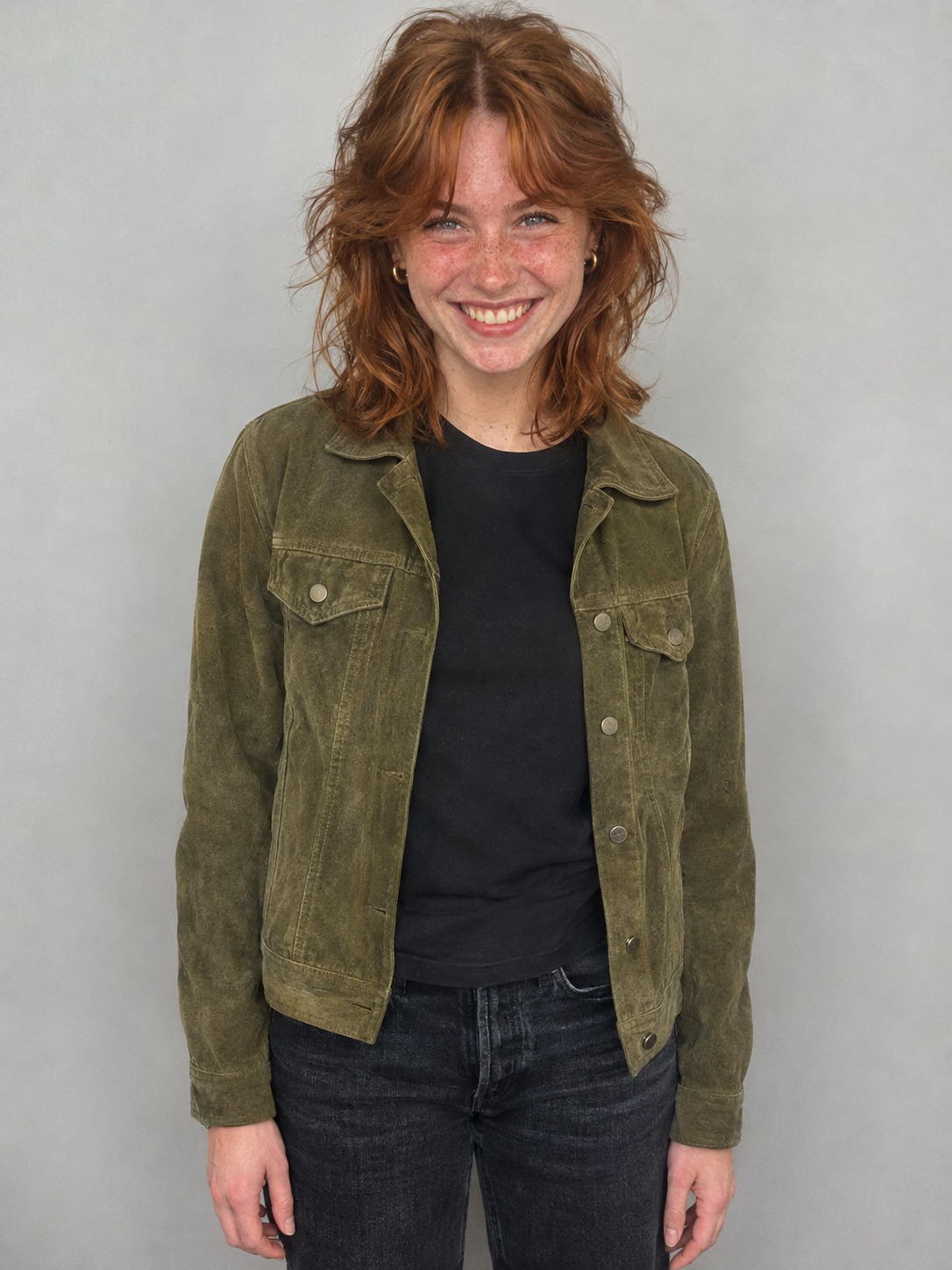
Choose You or Your pet, then add one sharp, well lit photo. For people, waist up is ideal and you dance in the outfit from your photo. For pets, show the whole body if you can.
- 2
Press make
The dance, the camera and the song are already set. No prompt to write, no model to pick, no settings.
- 3
Download and post
In about 5 to 10 minutes you get a 15-second 9:16 MP4 at 720p with the original song, ready for TikTok, Reels and Shorts.
Which photo to use
Use your own photo or one from someone who has agreed. One person, a clear face and even light, ideally from the waist up. You dance in the outfit you wear in the photo. For a pet, use one sharp photo of your cat or dog, with the whole body in view if you can.
Bad Times AI for your cat or dog
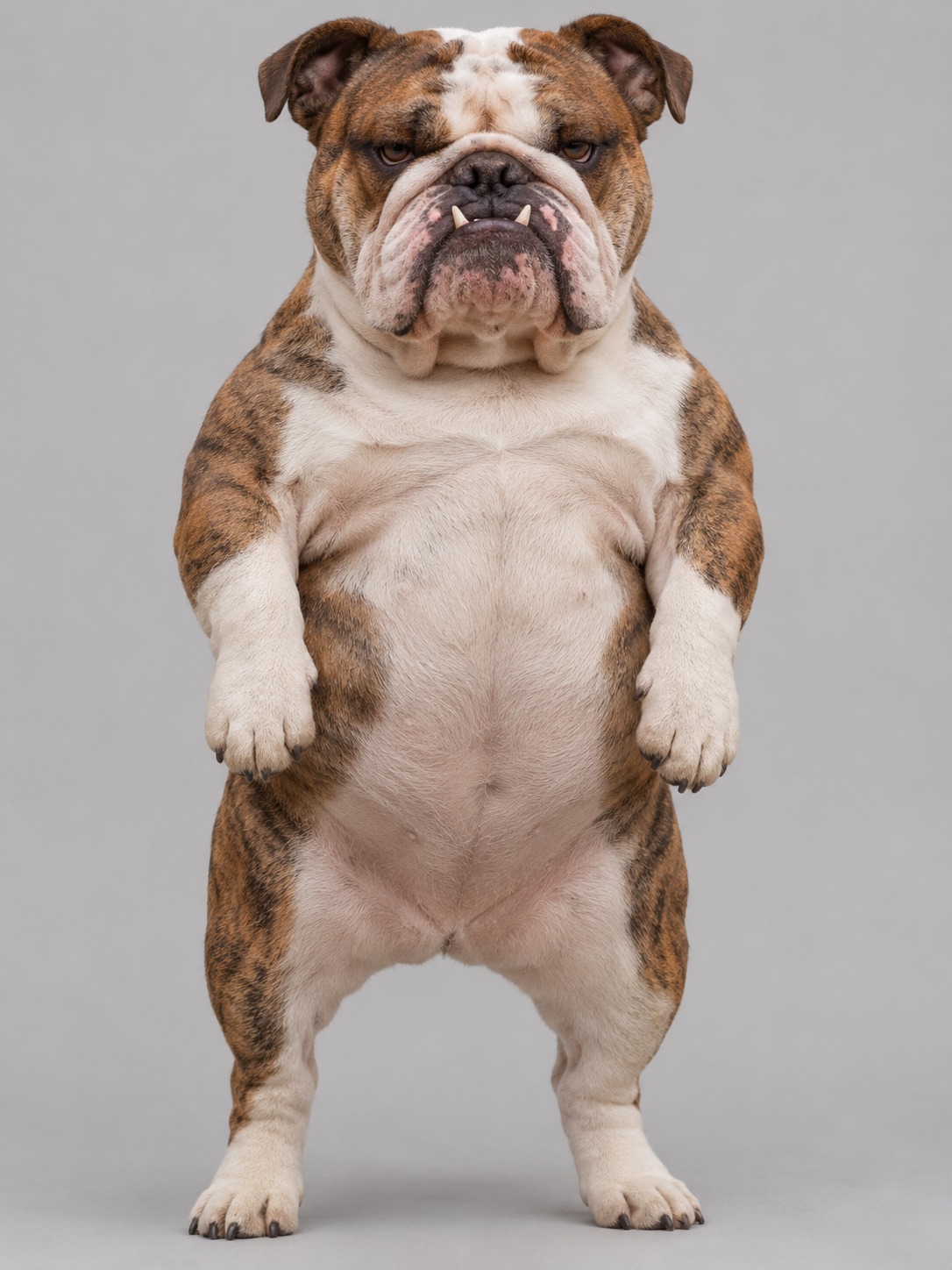
Dogs and cats are what took this trend everywhere: the four AI pet videos on this page had 22.5 million views between them on November 3, 2026. Now your own Bad Times cat or Bad Times dog can have a turn.
Upload a clear pet photo
Choose Your pet at the top of the maker and add one sharp, well lit photo of your cat or dog, with the whole body in view if you can. There is no prompt to write and nothing to film.
See the bulldog example
This English bulldog started as one photo. It stands up on its hind legs, points and counts with its own paws, pushes a paw at the lens and rushes the camera, in a bright home kitchen. Your pet video has the same 15 seconds of the original song, at 9:16 and 720p.
The Jim Carrey dance AI version, beat by beat
One continuous handheld take with no cuts, 15 seconds long. These are the eight beats you get, in order.
Scene 1
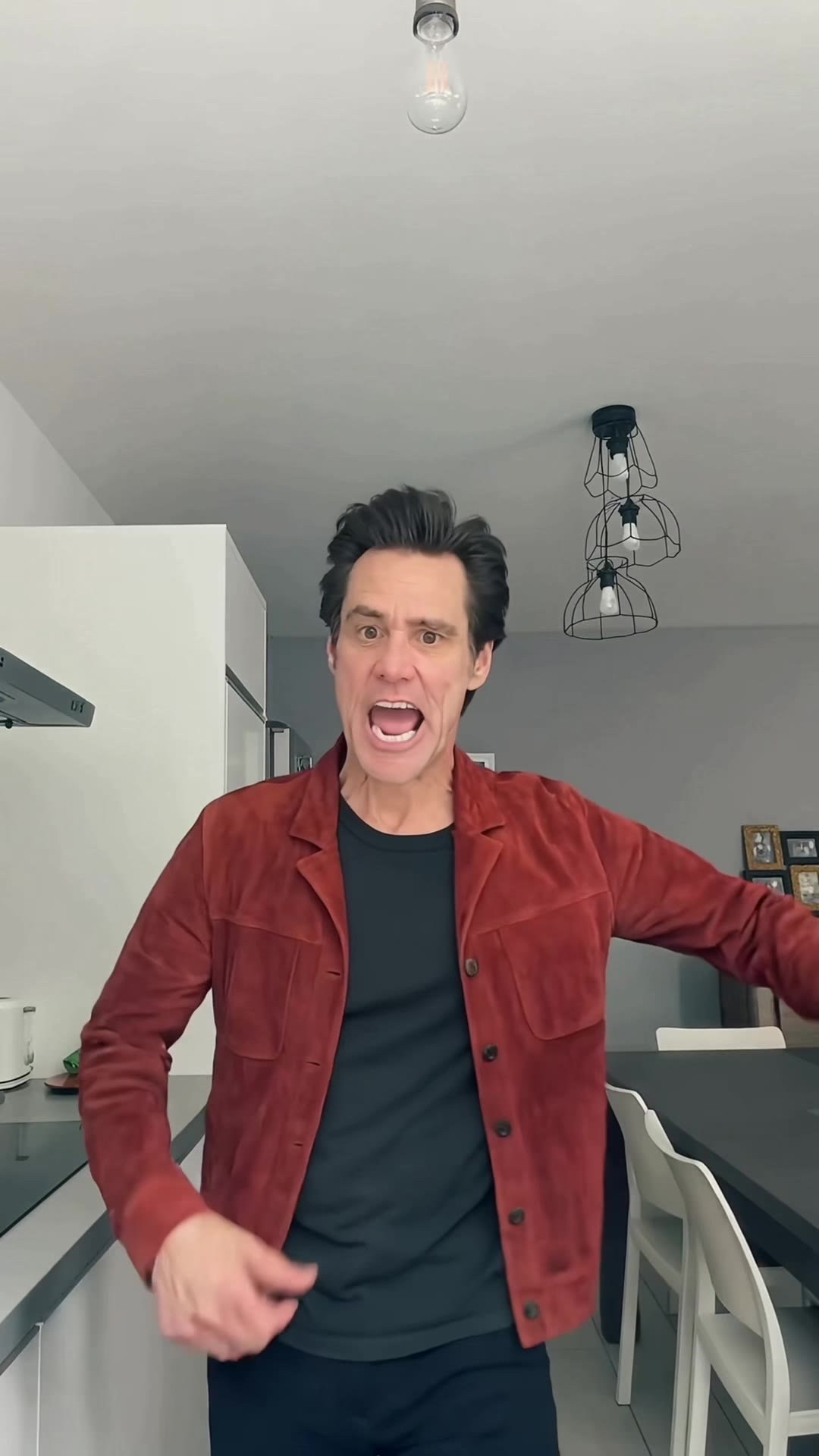
Walk in, 0 to 1 second
You walk in from the back of the kitchen and lock eyes with the phone.
Scene 2
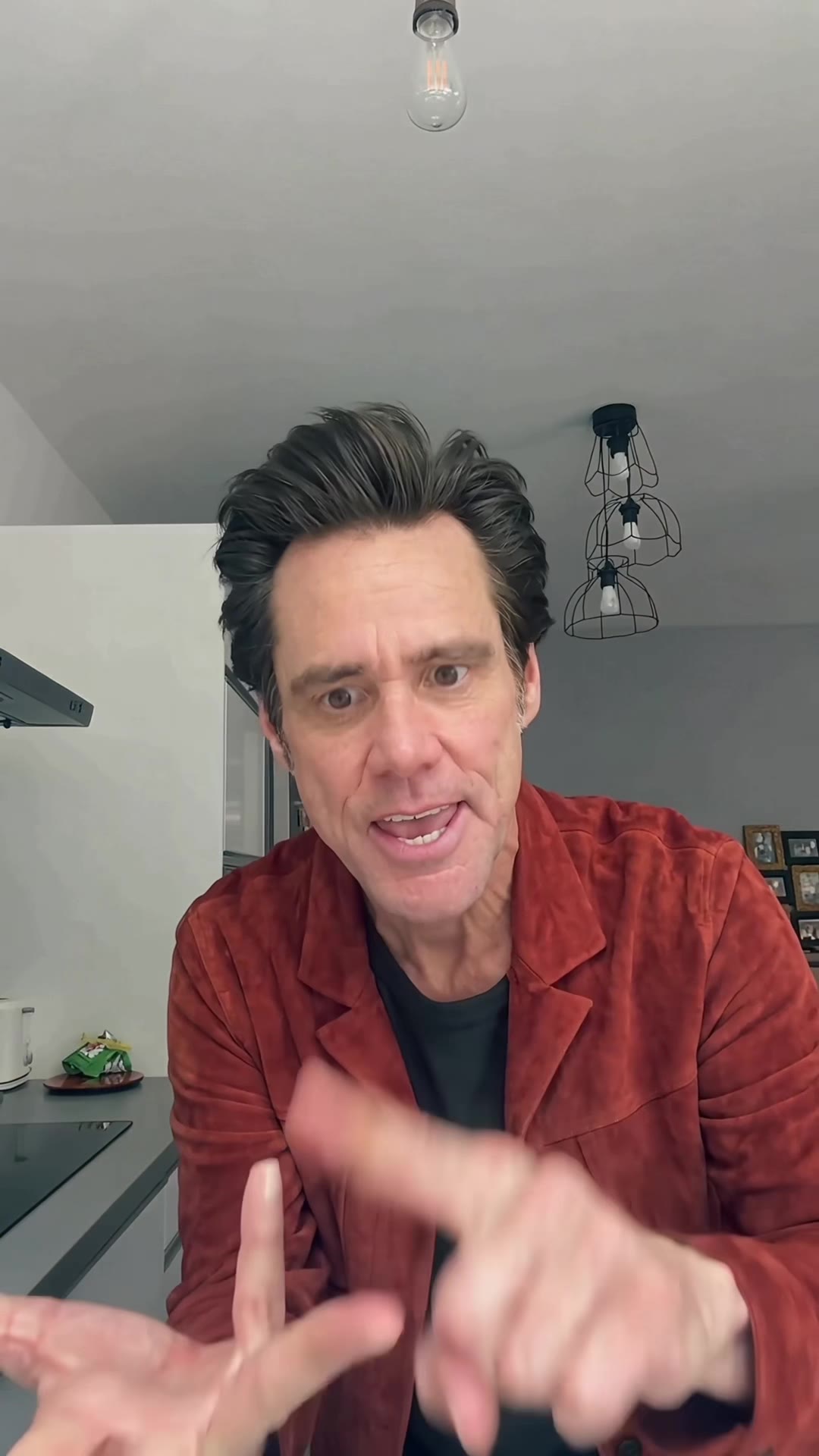
Count it out, 1 to 4 seconds
You come up close to the lens, point at it and count the reasons off on your fingers.
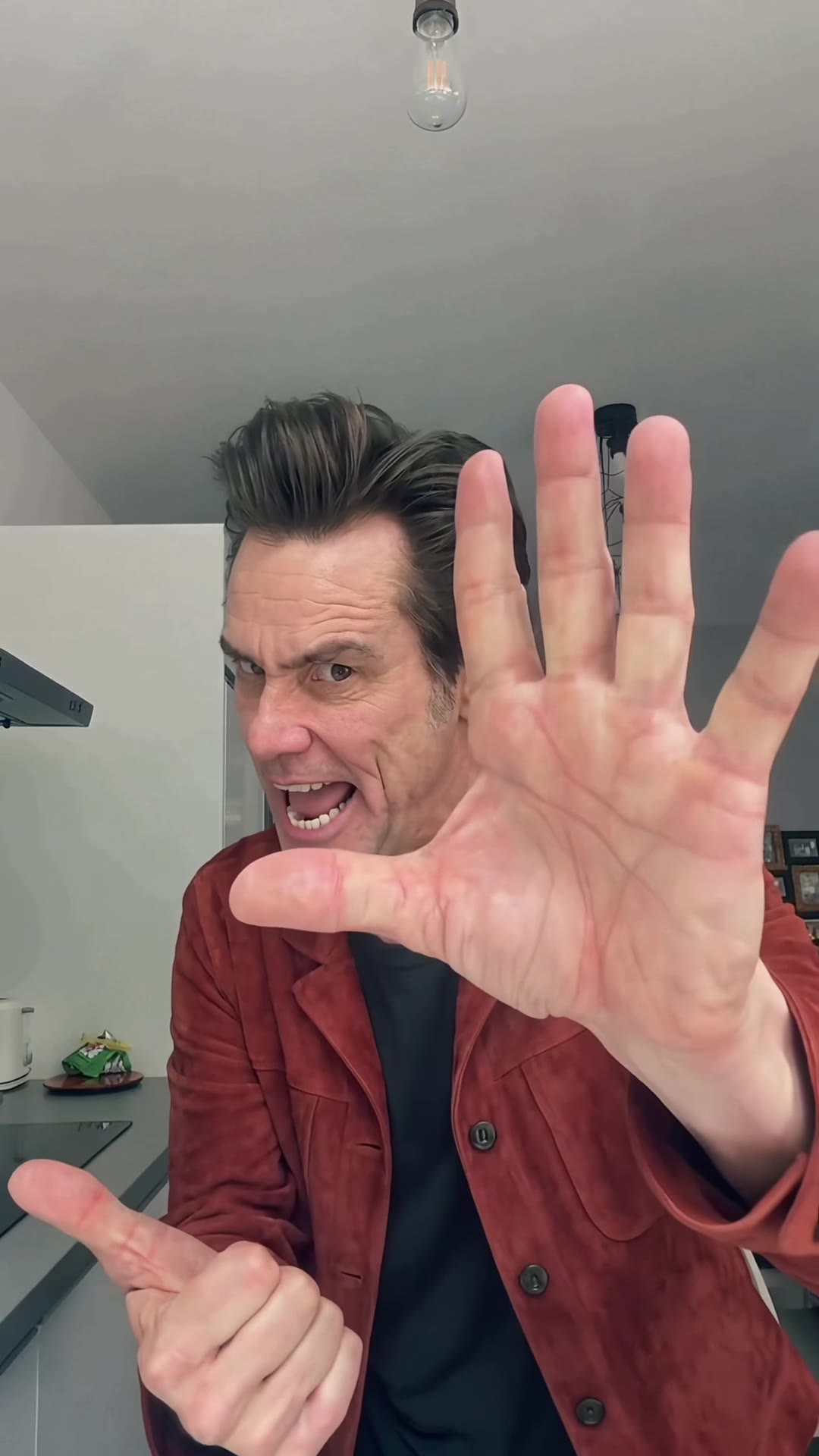
Scene 3
The palm, 4 to 5.3 seconds
One open palm pushes at the camera and fills half the frame. Stop right there.
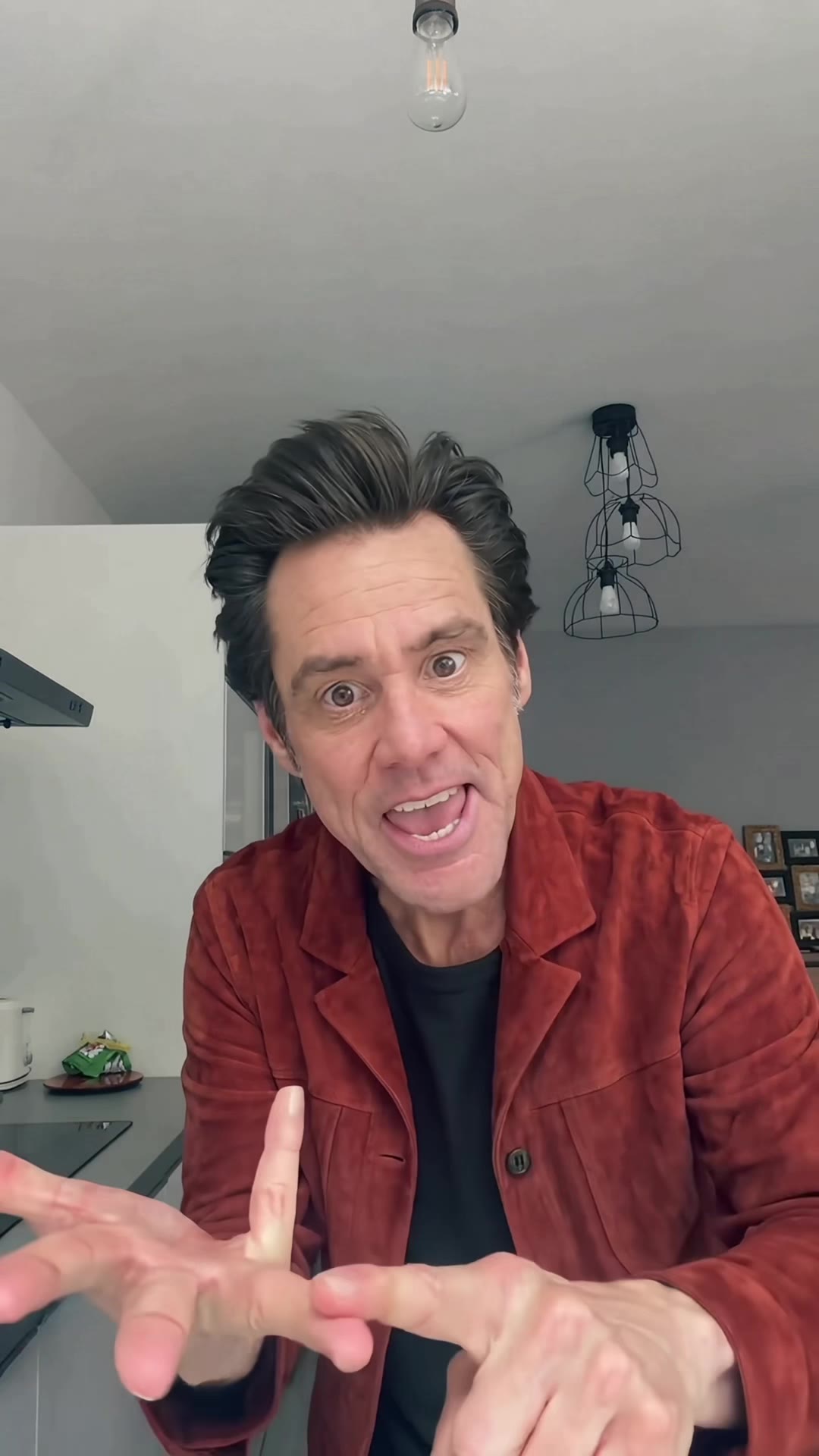
Scene 4
The finger, 5.3 to 7.5 seconds
A raised finger wags from side to side while the lecture goes on.
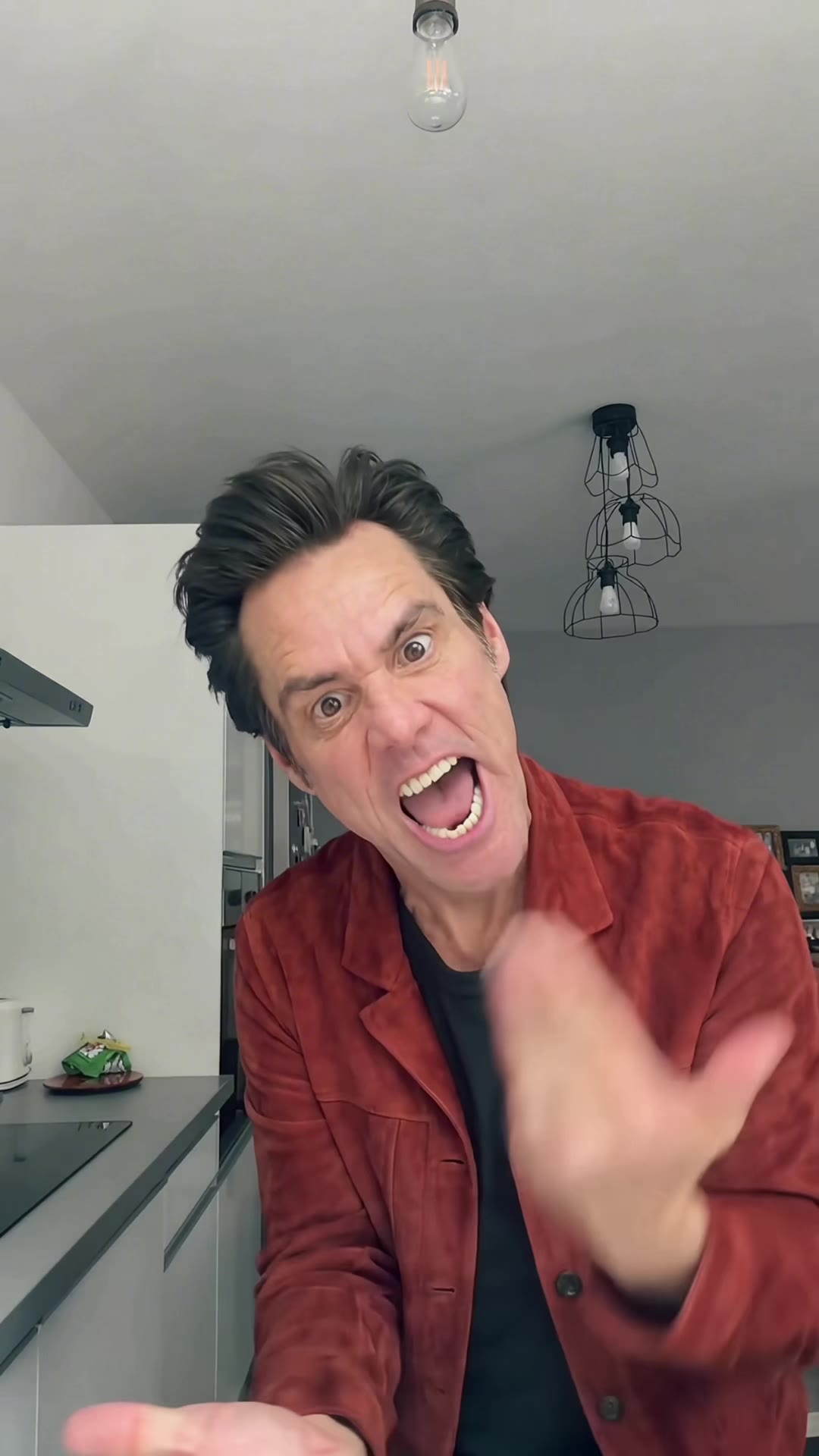
Scene 5
The flick, 7.5 to 8.8 seconds
A flick of the hand, then both hands push at the lens on the beat.
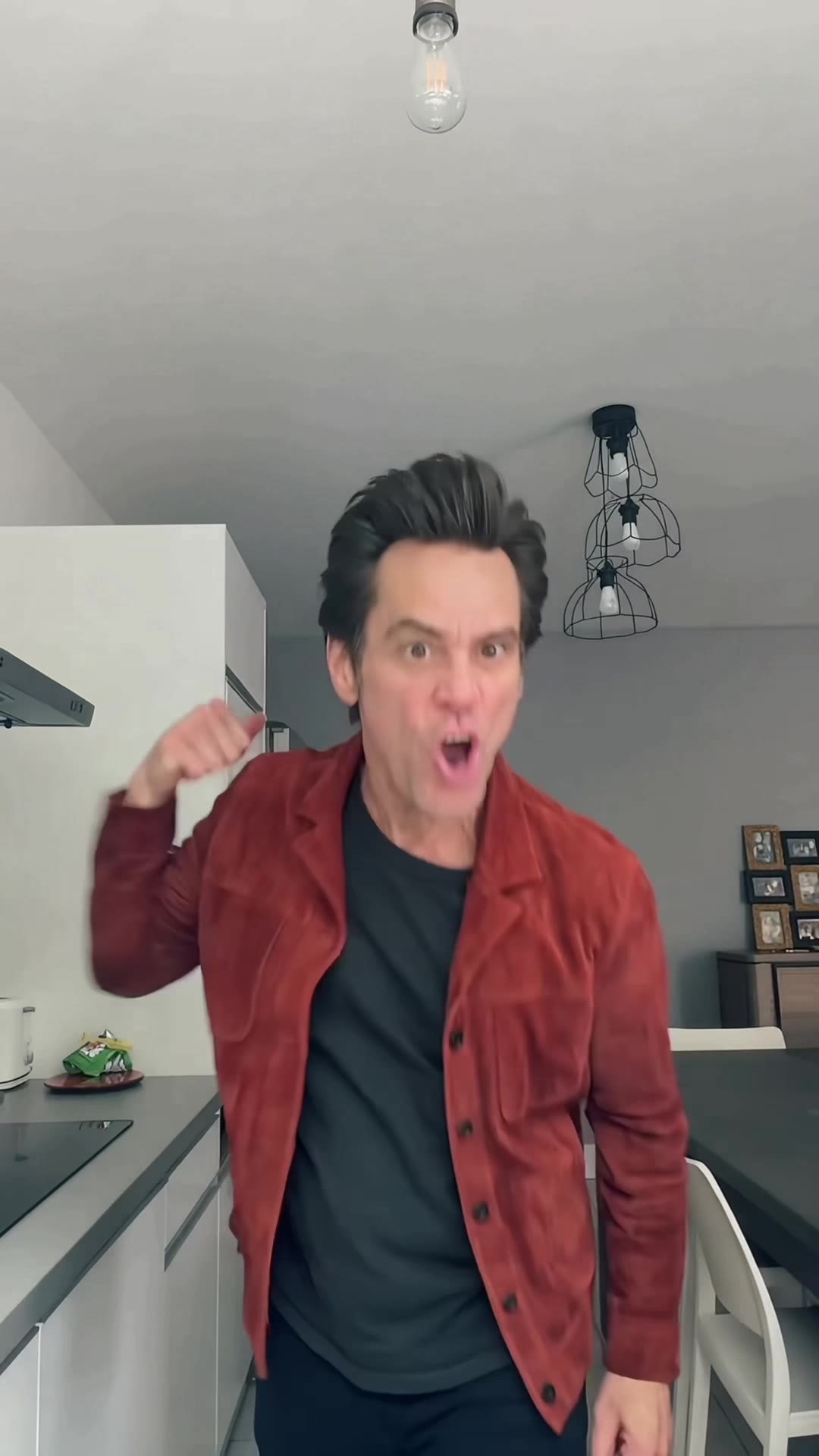
Scene 6
Step back, 8.8 to 10.1 seconds
You step back with one hand on your head. You cannot believe this.
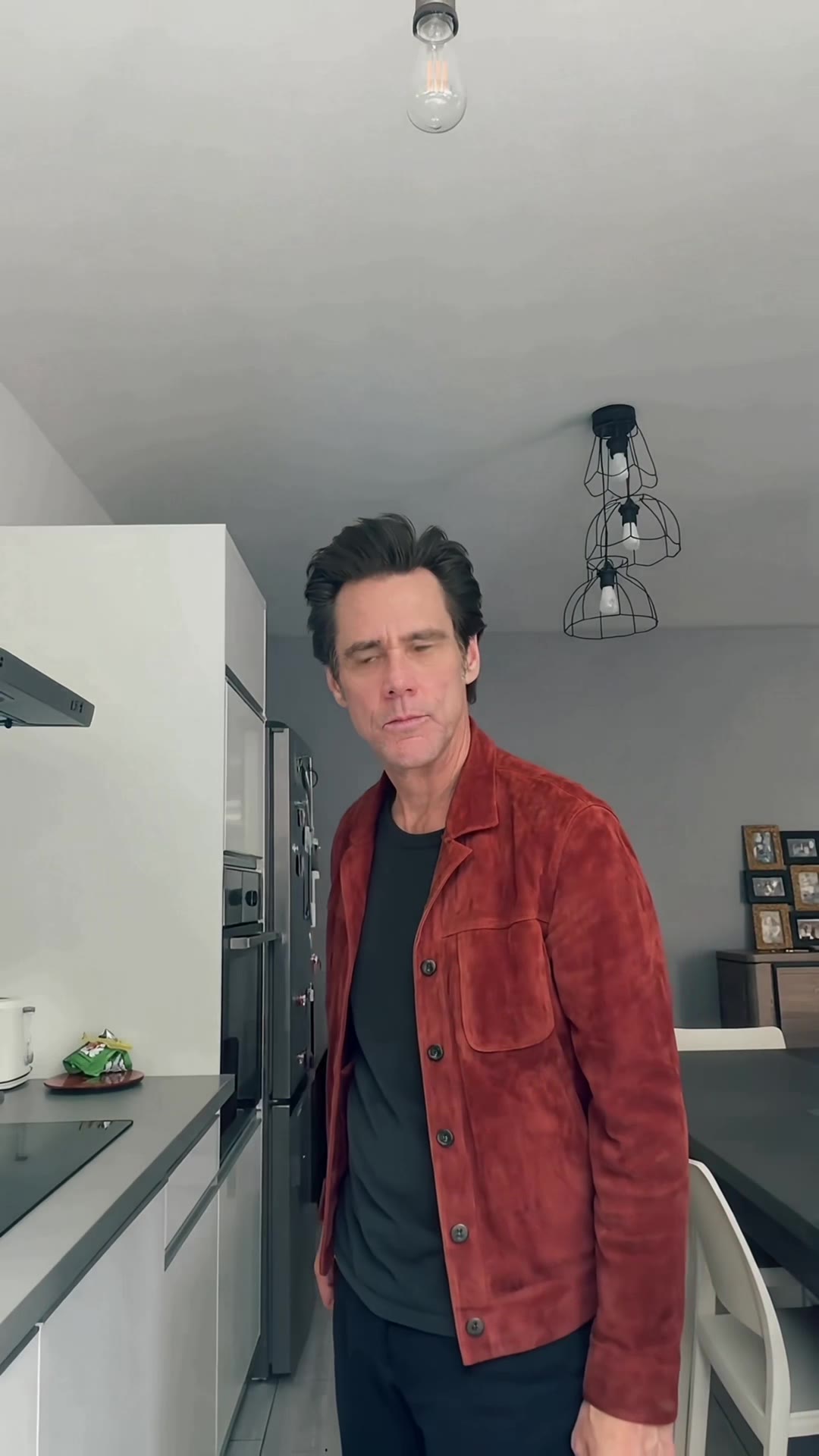
Scene 7
The turn, 10.1 to 13.3 seconds
You turn your back on the camera, hands on hips, and then turn around again.
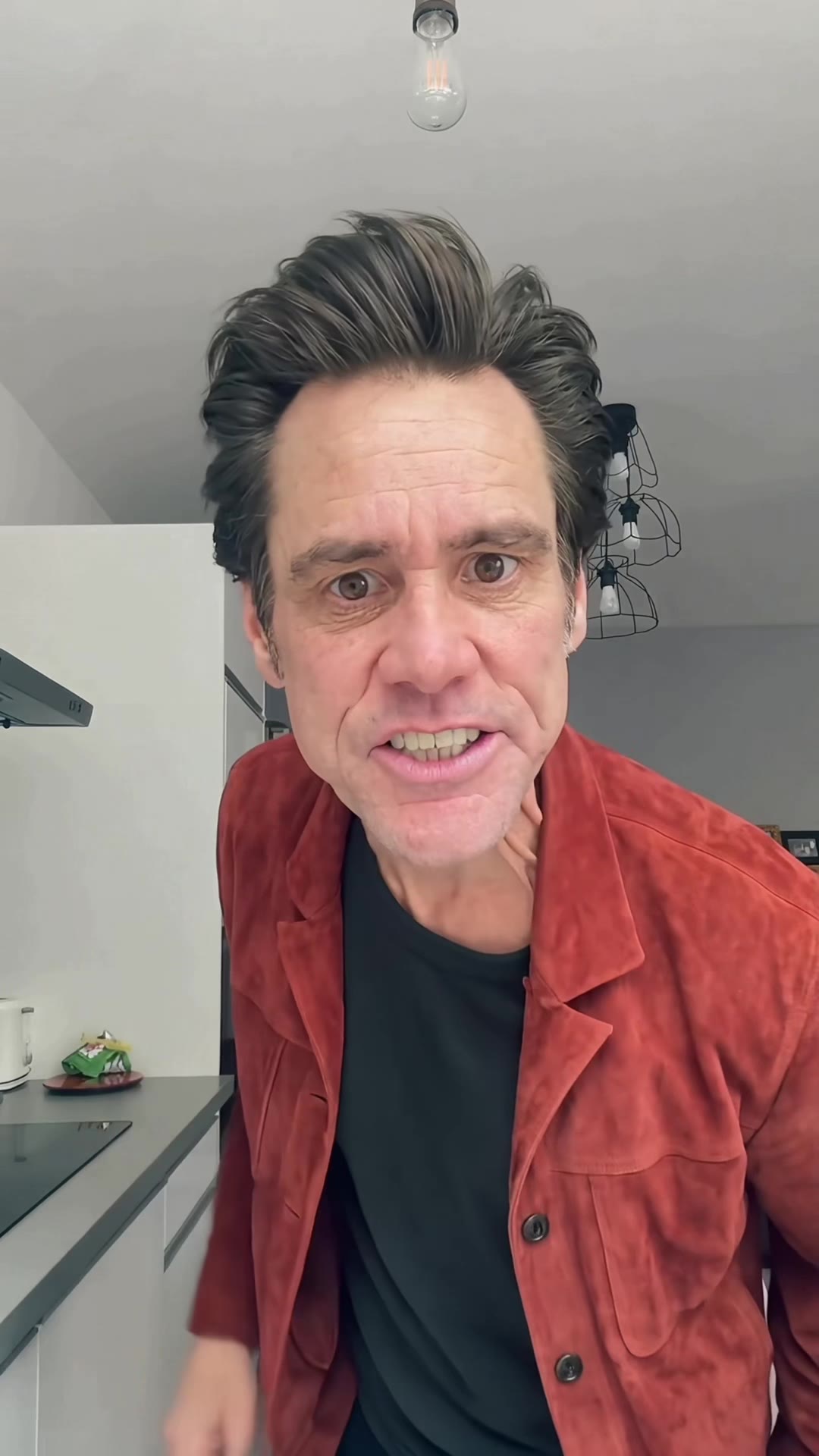
Scene 8
The rush, 13.3 to 15 seconds
You rush the lens and shout, right on the last beat of the clip.
These frames come from the original Jim Carrey AI clip. Your video follows the same beats with you in the lead. In the pet version, your cat or dog does them on its hind legs.
How to film the Bad Times dance yourself
One phone held vertically, one take with no cuts. Hold the phone at chest height and shoot from the waist up, in a kitchen or living room. Start the song at 0:33 and act out these eight beats.
Beat 1 · 0 to 1 second
Walk in from one side and stare at the lens. Keep the phone still at medium distance, waist up.
Beat 2 · 1 to 4 seconds
Move in until the frame shows you from the chest up. Point at the lens and count on your fingers, one by one.
Beat 3 · 4 to 5.3 seconds
Push an open palm at the phone, as if saying stop. Your hand should fill half the frame.
Beat 4 · 5.3 to 7.5 seconds
Raise one finger and wag it from side to side, like a lecture. Stay close.
Beat 5 · 7.5 to 8.8 seconds
Flick your hand, then push both hands at the lens. Stay close.
Beat 6 · 8.8 to 10.1 seconds
Step back with one hand on your head, out of patience. The frame opens back up to waist height.
Beat 7 · 10.1 to 13.3 seconds
Turn your back to the camera with your hands on your hips, then turn around again.
Beat 8 · 13.3 to 15 seconds
Rush the lens and shout, until your face fills the frame.
Three tips for filming it
Be seriously angry. The joke only works with a straight face, and it is the question most people ask in the comments: how do you do this without laughing? Aim it at someone real.
Give the phone to a friend. When someone holds it as the person getting told off, you have somebody to argue with, and the camera moves with you the way it does in the original.
Pick a lived-in room. A kitchen or living room looks the most like the original, and the kitchen counter gives you space to step back and turn around.
Why the generator version looks like the original
It starts from the clip itself. The generator uses the viral kitchen clip as its reference, so the moves, the camera and the room come straight from that take instead of being described in a prompt.
The dance is one continuous shot, so we render it in one pass, all 450 frames, with no seams to hide. The result is sharpened to 720p and the same part of the official song, 0:33 to 0:48, is added in sync.
The instruction is deliberately short: replace the person, keep the scene, background, camera and all motion. So the performance comes from the clip, while the face, hair and outfit come from your photo.
Pets get their own starting point. The pet version uses a clip where an animal is already standing on its hind legs, lined up beat for beat with the kitchen dance, and the whole animal is replaced with yours. That is why your cat or dog moves on its own legs and paws, with its own fur and markings.
The example on the generator page is our approved output from November 3, 2026, made with Wan 3.0 for the performance and Topaz Proteus for the final sharpening. The comparison puts the original on the left and that real output on the right, so you can check it yourself before buying.
Bad Times AI video generator vs. other ways to make it
There are four common routes. They differ in how much of the known clip you keep and how much work lands on you.
| Way to make it | What you do | What you get | Best for |
|---|---|---|---|
| This Bad Times AI video generator | Upload one photo of you or your pet. No prompt, no editor, no filming. | The same 15-second dance in one take at 9:16 and 720p, with the original song, starring you or your pet. | Starring in the exact clip people know. $8.90 per video. |
| Prompt-based AI video tools | Upload a photo, describe the argument, adjust settings. | A new scene in a similar spirit. | A version in a place of your own design. |
| CapCut templates | Pick a template and add your own footage or AI clips. | A timed edit with the song over your clips. | Editing footage you already have. |
| Film it yourself | Learn the eight beats, hold the phone at chest height and shoot one take. | A real performance, no AI. | Anyone who wants to act it out. The how-to guide has every beat. |
Save it and post it as an AI video
With the generator, allow about 5 to 10 minutes. You can close the page and collect the result in My videos. On iPhone, tap Download video, open it in Files and choose Save Video. On Android, open Downloads.
Use only photos you have permission to upload. Celebrity and public figure photos are not allowed. Label the finished video as AI when you post it and follow the rules of TikTok, Reels or Shorts. The template is independent and is not endorsed by Jim Carrey or Imael Angel.
Before you post your Bad Times video
Watch it with the sound on
Play the whole clip, from the walk-in to the final rush, then save the MP4 to your phone.
Say it is AI
Turn on TikTok's AI-generated content label or say so in your caption, so nobody takes it for a real video.
Use the app's sound if you like
The song is already in your video. You can also pick "Bad Times" from the sound library in the app and line it up with your clip.
Keep it a joke
Everyone in the video should be fine with it. Rights to the song and the clip stay with their owners, so do not use it in ads.