How to make the fancy cafe AI video
There are two ways to make a fancy cafe video: upload 1 or 2 photos to our generator and get the 15-second scene back with the original sound, or film the whole joke yourself in one take with a friend. This guide covers both, beat by beat.
$8.90 per video · No subscription · About 5 to 10 minutes
What is a fancy cafe video?
A fancy cafe video is a one-shot joke, usually captioned "POV: Your first time in a fancy cafe". In a minimalist concrete cafe, someone sits on a tiny wall table and sips their coffee as if it were a stool. A regular walks in, sits on the bench and puts a cup on the table. The first-timer gets it, climbs down and acts as if nothing happened.
Kevin Winnik posted the clip on November 1, 2026, and new versions spread across TikTok within hours, many of them AI remakes with new faces in the same shot. The most common question in the comments was how to make one, which is what this guide answers.
Make the fancy cafe video from 1 or 2 photos
- 1
Upload 1 or 2 photos
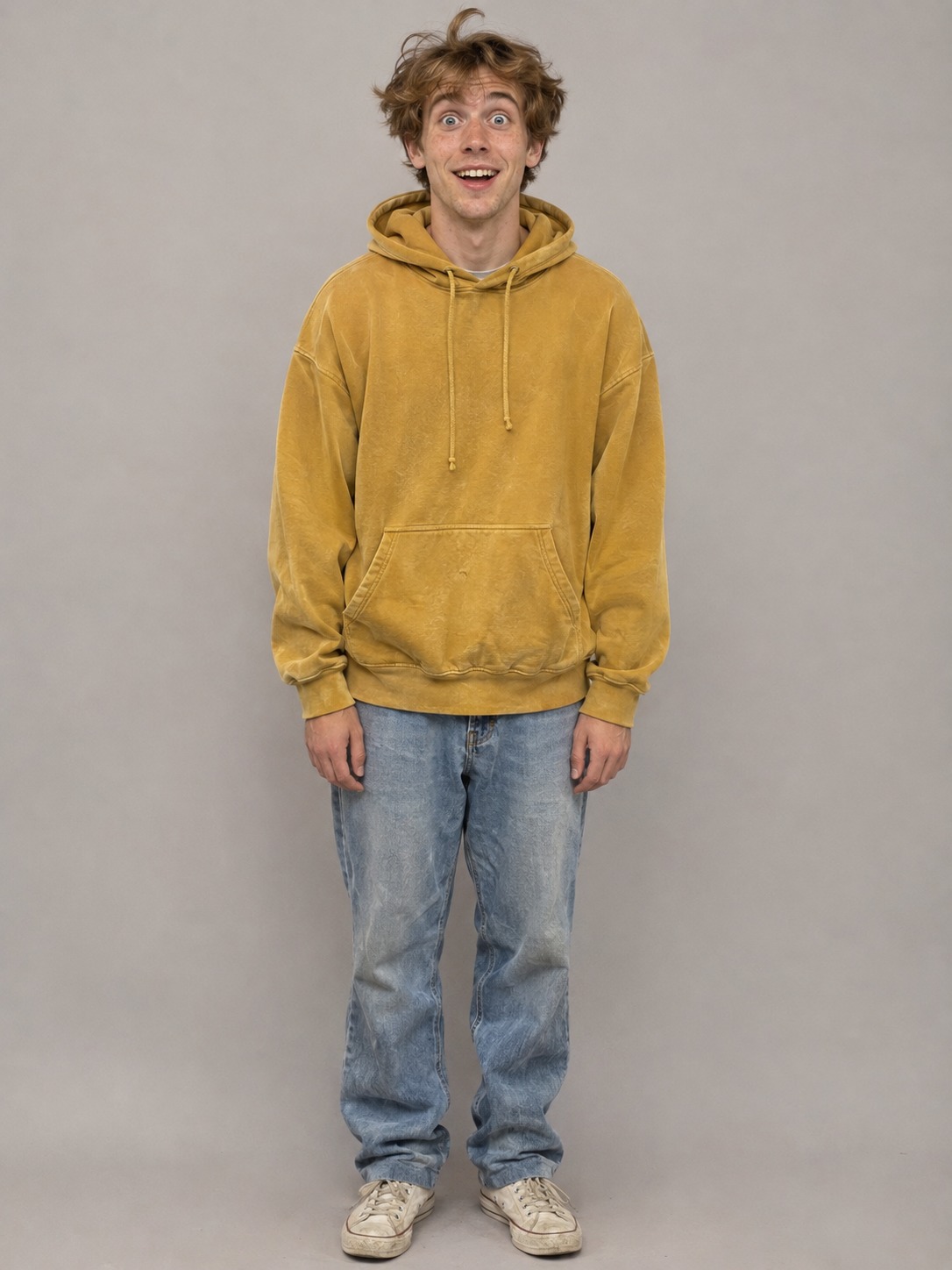
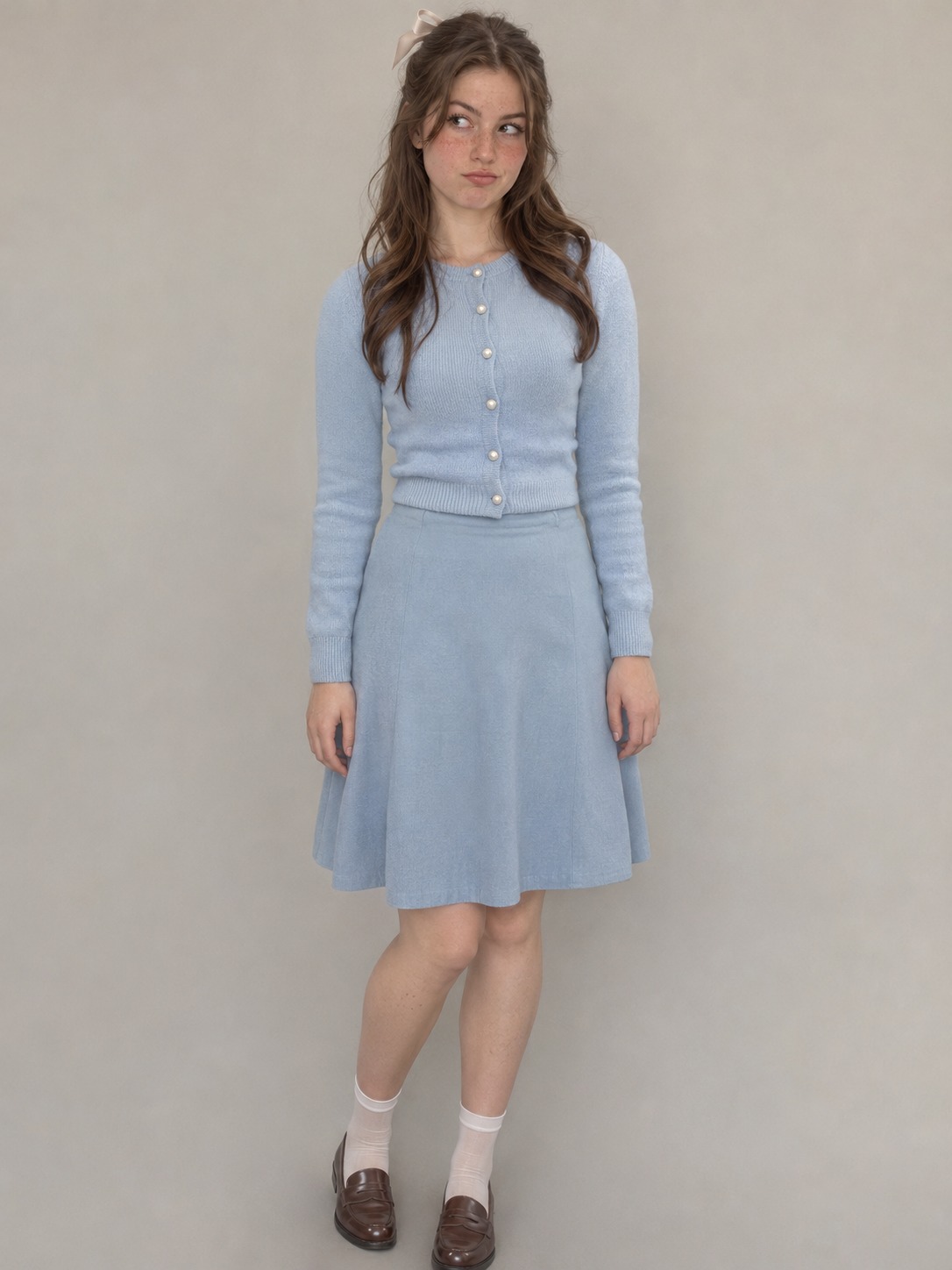
Photo 1 is the first-timer on the table. Photo 2 is the regular who walks in, and it is optional: leave it empty and our own actor plays the part.
- 2
Press make
The shot, the timing and the sound are already set. No prompt to write, no model to pick, no settings.
- 3
Download and post
In about 5 to 10 minutes you get a 15-second 9:16 MP4 at 720p with the original sound, ready for TikTok, Reels and Shorts.
Which photos to use
Use your own photo or one from someone who has agreed. One person per photo, with a clear face and even light. The clip is a wide shot, so a sharp photo helps, and you wear the outfit from your photo in the video.
The fancy cafe video, beat by beat
One fixed shot with no cuts, 15 seconds long. These are the six beats you get, in order.
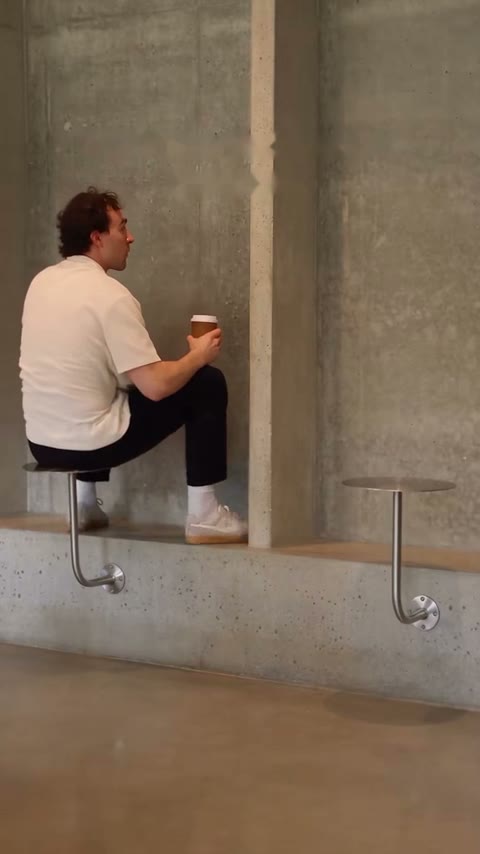
Scene 1
On the table, 0 to 2 seconds
The first-timer sits on the tiny wall table, feet on the bench, and sips like this is the best seat in the house.
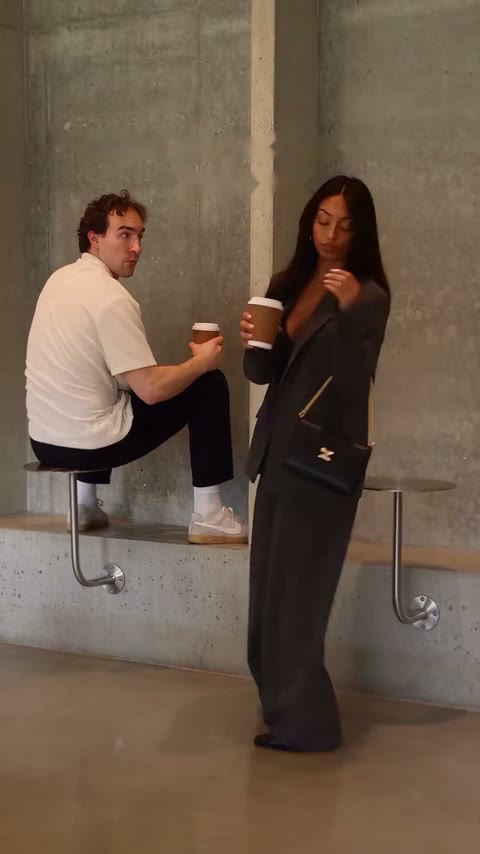
Scene 2
The regular walks in, 2 to 5 seconds
The regular comes in from the right with a coffee and goes straight to the next table.
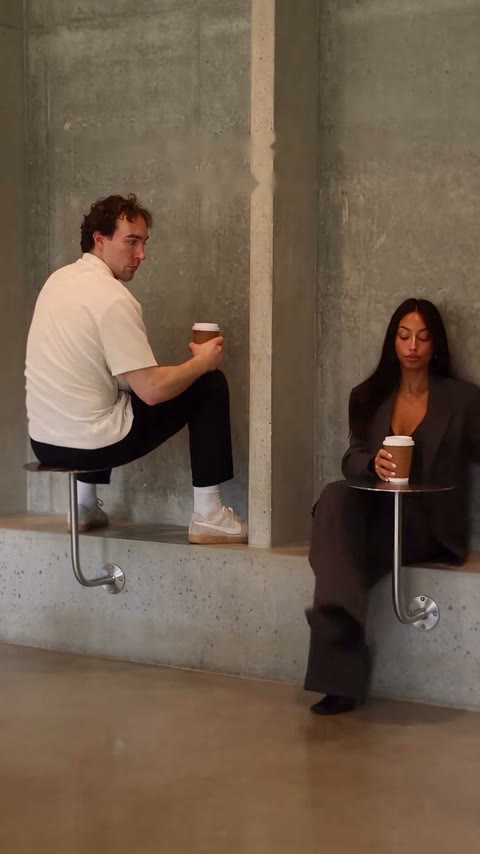
Scene 3
Bench and table, 5 to 8 seconds
The regular sits down on the bench and holds the cup over the table. That is how it works.
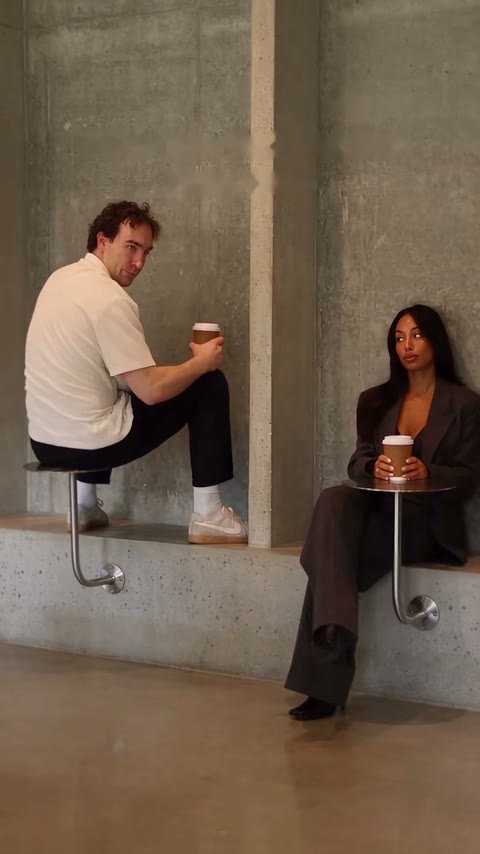
Scene 4
The look, 8 to 11 seconds
The first-timer glances over at the table next door, then down. The penny starts to drop.
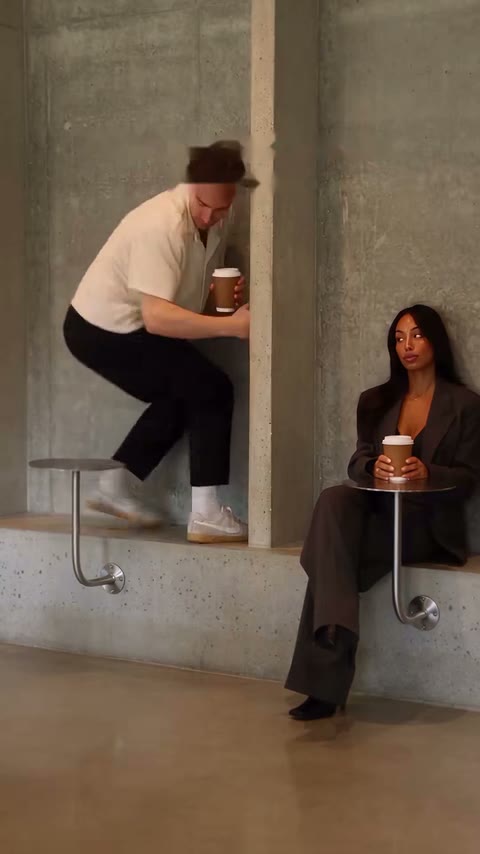
Scene 5
The climb down, 11 to 13 seconds
One hand on the wall, coffee still in the other, and down from the table as quietly as possible.
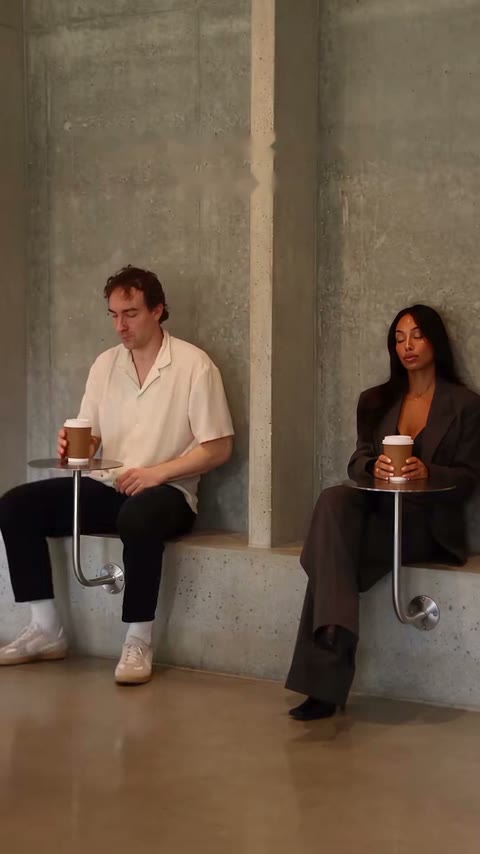
Scene 6
Nothing happened, 13 to 15 seconds
Now on the bench, coffee in hand, looking like someone who has always known how this cafe works.
These frames come from the original clip. Your video follows the same beats with the people in your photos.
How to film the fancy cafe meme yourself
One phone held vertically on a tripod, one wide shot with no cuts. Find a wall with a bench and a small table, and pick the TikTok sound "oh yeah? – Steve Lacy". The full version runs about 21 seconds, in five beats.
Beat 1 · 0 to 5 seconds
Person A sits on the small table with their feet on the bench and drinks coffee with a completely serious face.
Beat 2 · 5 to 9 seconds
Person B walks in from one side with a coffee, sits on the bench and puts the cup on the table.
Beat 3 · 9 to 14 seconds
Both drink in silence. Person A slowly turns to look at the table in front of Person B.
Beat 4 · 14 to 17 seconds
Person A realizes what is going on and climbs down from the table as casually as possible.
Beat 5 · 17 to 21 seconds
Person A sits on the bench, puts the cup on the table and pretends nothing happened.
Three tips for filming it
Do not smile. Person A has to look completely sure of the seat, because the more relaxed they are up there, the better the climb down lands.
Person B never looks over. The joke works because nobody points it out, so the regular just sits and drinks.
You do not need all 21 seconds. The @stevenwommack version stops at the climb down, runs 11 seconds and reached 2.2 million views.
Why the generator version looks like the original
It starts from the clip itself. The generator uses the original scene as its reference, so the blocking, the fixed camera and the concrete room come straight from that take instead of being described in a prompt.
The clip is one continuous shot, so we render it in one pass, all 360 frames from 4 to 19 seconds of the original, with no seams to hide. Your video is then sharpened to 720p and the matching part of the original sound is added in sync.
The instruction is deliberately short: who replaces whom, and keep everything else. So the performance and the timing come from the clip, while the faces, hair and outfits come from your photos.
The example on the generator page is our approved output from November 4, 2026, made with Wan 3.0 and shown before the final sharpening step. The comparison puts the original on the left and that real output on the right, so you can check it yourself before buying.
Fancy cafe AI video generator vs. other ways to make it
There are four common routes. They differ in how much of the known clip you keep and how much work lands on you.
| Way to make it | What you do | What you get | Best for |
|---|---|---|---|
| This fancy cafe AI video generator | Upload 1 or 2 photos. No prompt, no editor, no filming. | The same 15-second shot at 9:16 and 720p, with the original sound, starring your photos in both seats. | Starring in the exact clip people know. $8.90 per video. |
| CapCut templates | Pick a fancy cafe template and add your photo or footage. | A timed edit in the app, ready to export. | People who already edit everything in CapCut. |
| Prompt-based AI video tools | Upload a photo, describe the scene, adjust the settings. | A new scene in a similar spirit. | A version in a place of your own design. |
| Film it yourself | Find a bench with a small table, set up a tripod and shoot one take with a friend. | A real performance, no AI. | Anyone who wants to act it out. The how-to guide has every beat. |
Save it and post it as an AI video
With the generator, allow about 5 to 10 minutes. You can close the page and collect the result in My videos. On iPhone, tap Download video, open it in Files and choose Save Video. On Android, open Downloads.
Use only photos you have permission to upload. Celebrity and public figure photos are not allowed. Label the finished video as AI when you post it and follow the rules of TikTok, Reels or Shorts. The template is independent and is not endorsed by Kevin Winnik or Steve Lacy.
Before you post your fancy cafe video
Add the caption
Your video has no text on it, so the frame stays clean. Most posts add "POV: Your first time in a fancy cafe" as on-screen text or in the caption.
Use the tags people search
Try #fancycafe, #fancycafetrend and #pov. On TikTok you can also pick "oh yeah? – Steve Lacy" in the sound library and line it up with your clip.
Say it is AI
Turn on TikTok's AI-generated content label or say so in your caption, so nobody takes it for a real video.
Keep it a joke
Everyone in the video should be fine with it. Rights to the song and the clip stay with their owners, so do not use it in ads.