How to make the Jisoo Addicted AI dance video
Upload 1 to 2 photos, press make and download the 15 second hallway duet with the original song. Here is how to choose your photos, cast each part and understand the real example shown on the template page.
$8.90 per video · No subscription · About 5 to 10 minutes
What you need for your ADDICTED remake
The preset supplies the hallway performance. Your part is choosing who dances in it.
Your portrait
Choose a portrait of yourself with a clear face and a simple background. You do not need to be dancing or standing in a hallway. Your photo takes ROSÉ’s part in the original performance.
An optional friend
Add a separate portrait of a consenting friend for JISOO’s part. If you use one photo, our own template actor fills that position. Neither original performer stays in the remake.
The sample and the price
Watch the real output before starting. The preset makes the 15 second duet at 720p with the original song. $8.90 per video. No subscription.
From photos to the ADDICTED duet
- 1
Add 1 to 2 photos
Photo 1 takes ROSÉ’s part; photo 2 takes JISOO’s part.
- 2
Press make
The price is on the button. No prompt to write, no model to pick, no settings.
- 3
Download and post
You get a 15 second 9:16 MP4 at 720p with the original track.
Photo order sets the two dance parts
Photo 1 takes ROSÉ’s part, at the front right in the opening shot. Photo 2 takes JISOO’s part, at the back left. They spin and change places later, so the opening position is the clearest way to identify each part.
Use two photos to put yourself and a consenting friend in the duet. With one photo, you take the first part and our own template actor fills the other. Both parts go to new dancers in either case.
What happens in the 15 second ADDICTED duet?
The hallway dance moves through these scenes in order. Photo 1 takes ROSÉ’s part and photo 2 takes JISOO’s part, even when they turn, cross paths or change sides.
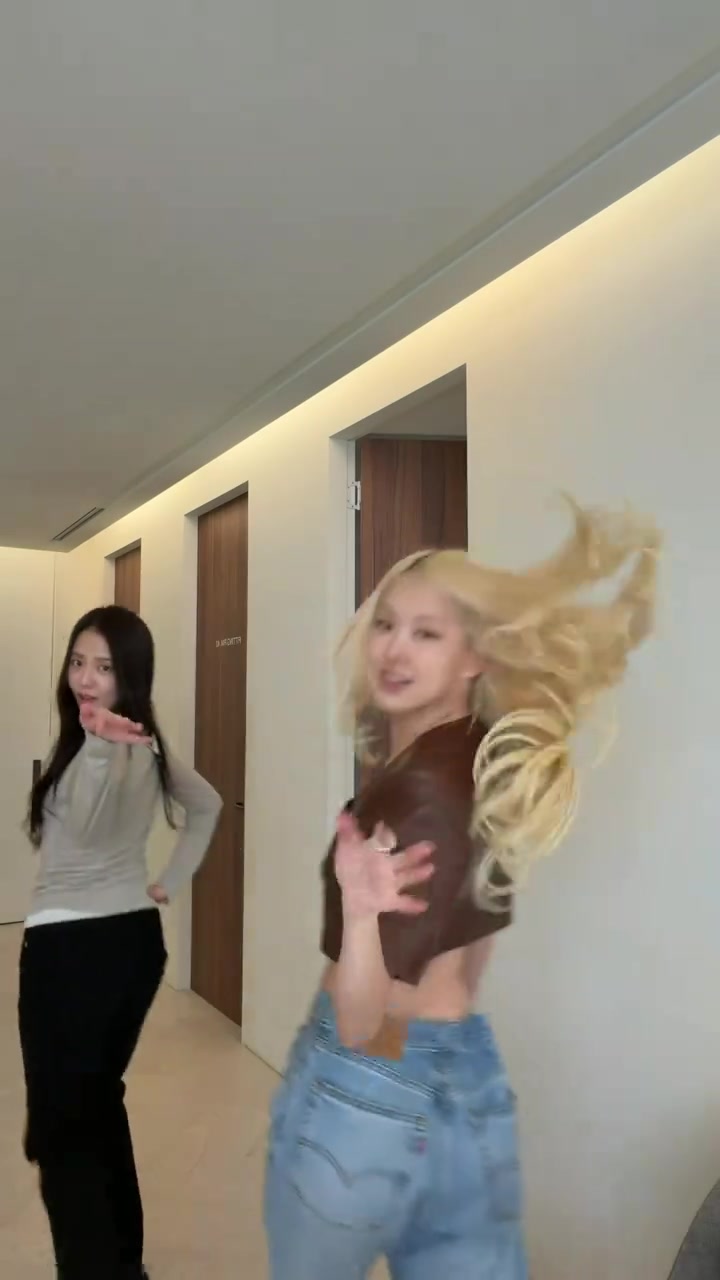
Scene 1
The opening turn
ROSÉ’s part starts at the front right and JISOO’s part is behind on the left. These are the opening positions named on the upload slots. Your first photo takes the nearer dancer’s part.
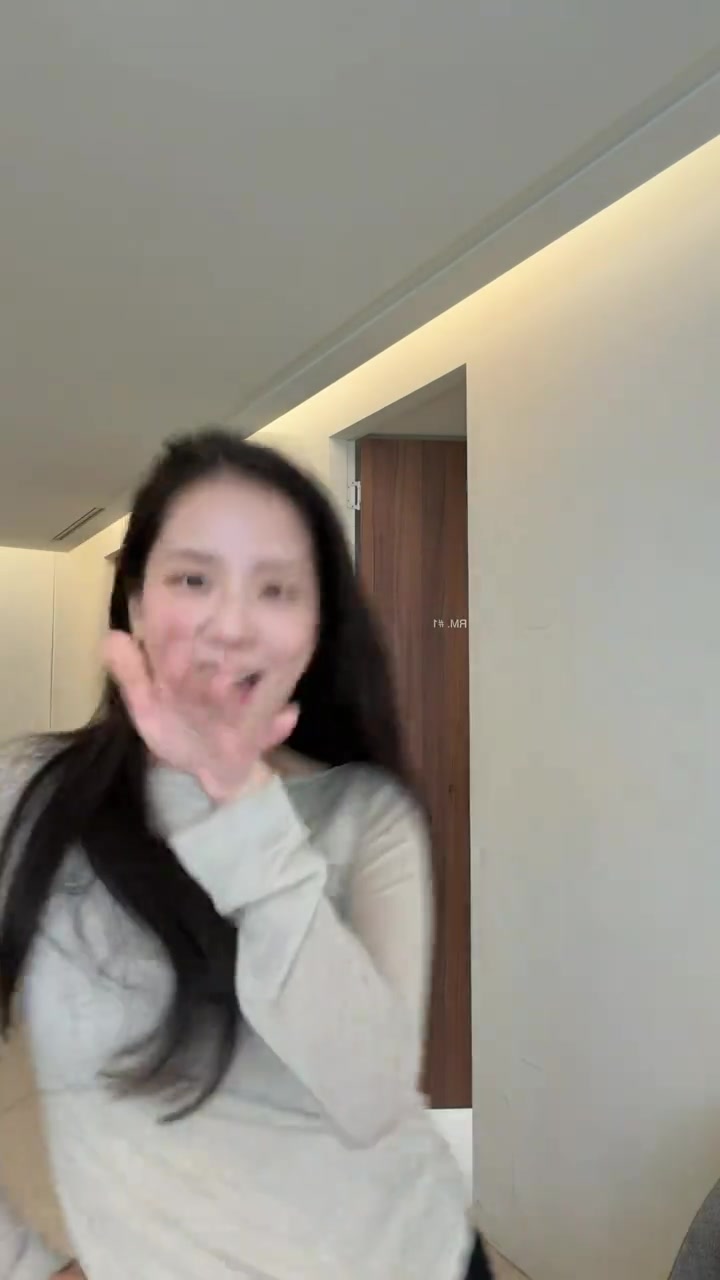
Scene 2
The close-up and lens swipe
The camera cuts to JISOO’s part alone before a hand passes across the lens. This close-up uses your second photo, or our template actor when you upload only one. The brief solo framing is part of the original.
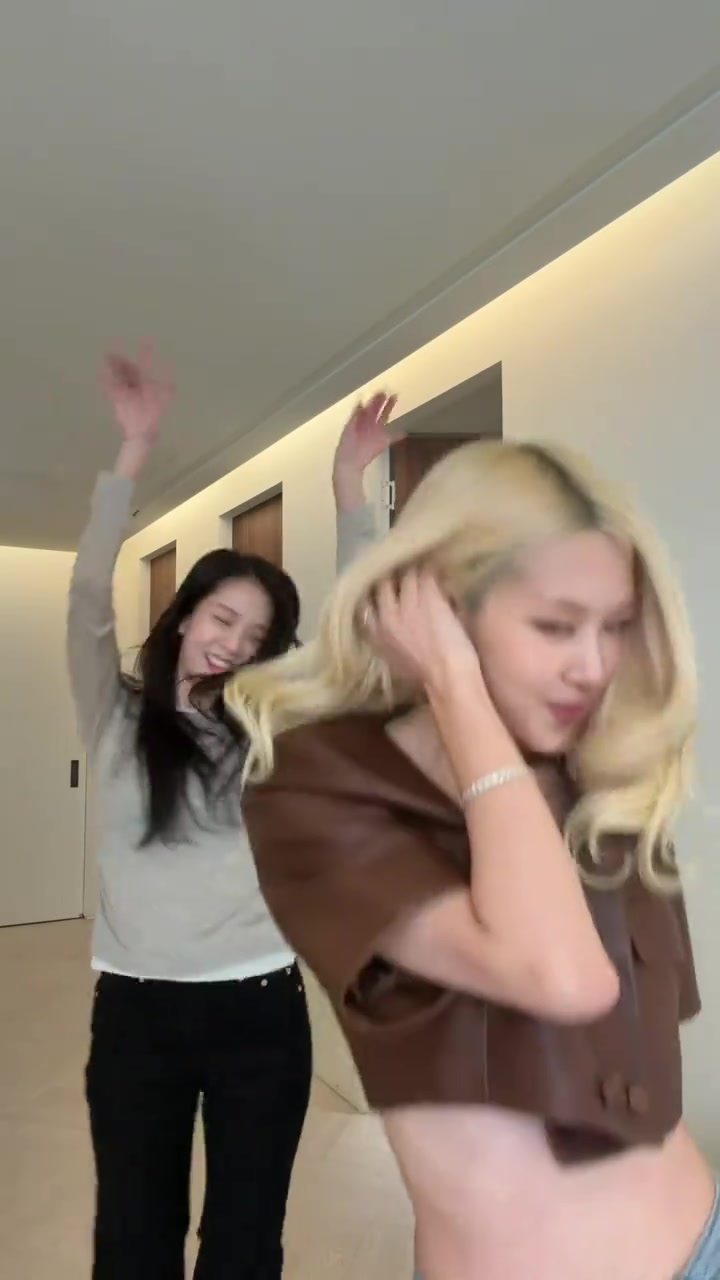
Scene 3
Hands up together
Both dancers return to the hallway shot and bring their hands up. Photo 1 follows the front dancer and photo 2 follows the dancer behind. No extra portrait or reference video is needed for this cut.
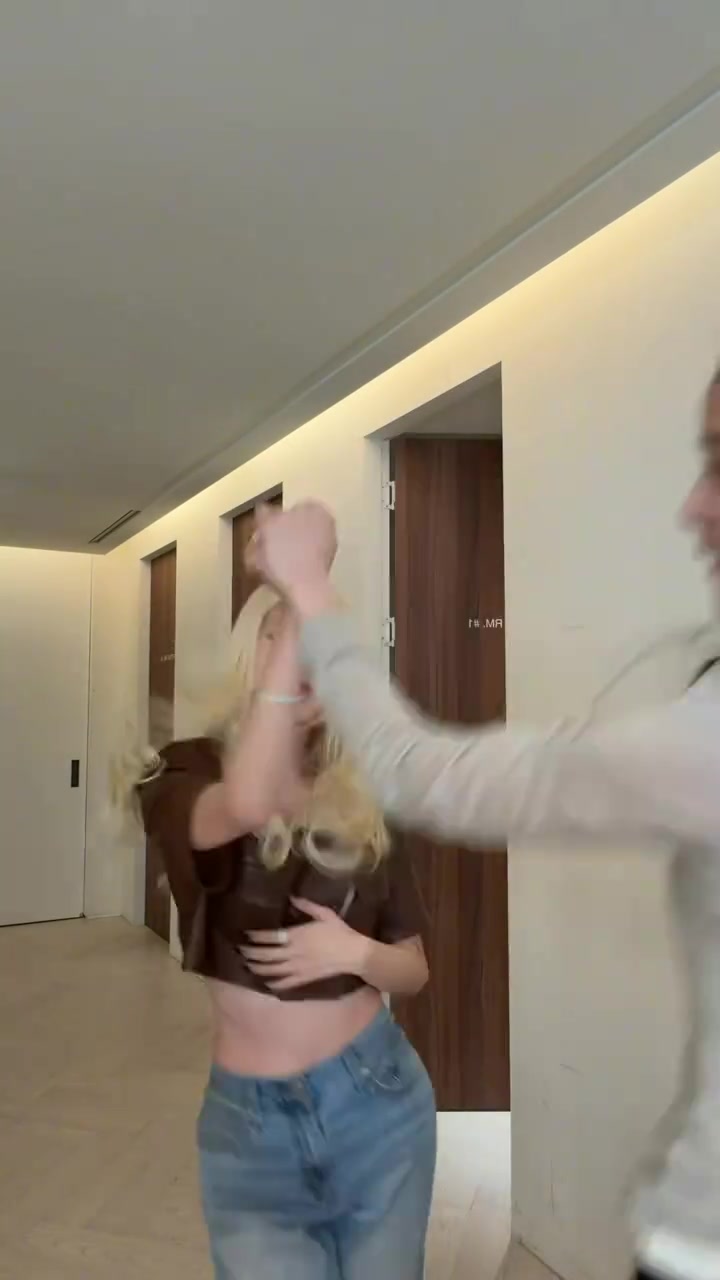
Scene 4
The spin and swap
The dancers spin and cross paths. Your photo order assigns the dance parts, not a permanent side of the screen. Watch this moment in the real sample to see the swap.
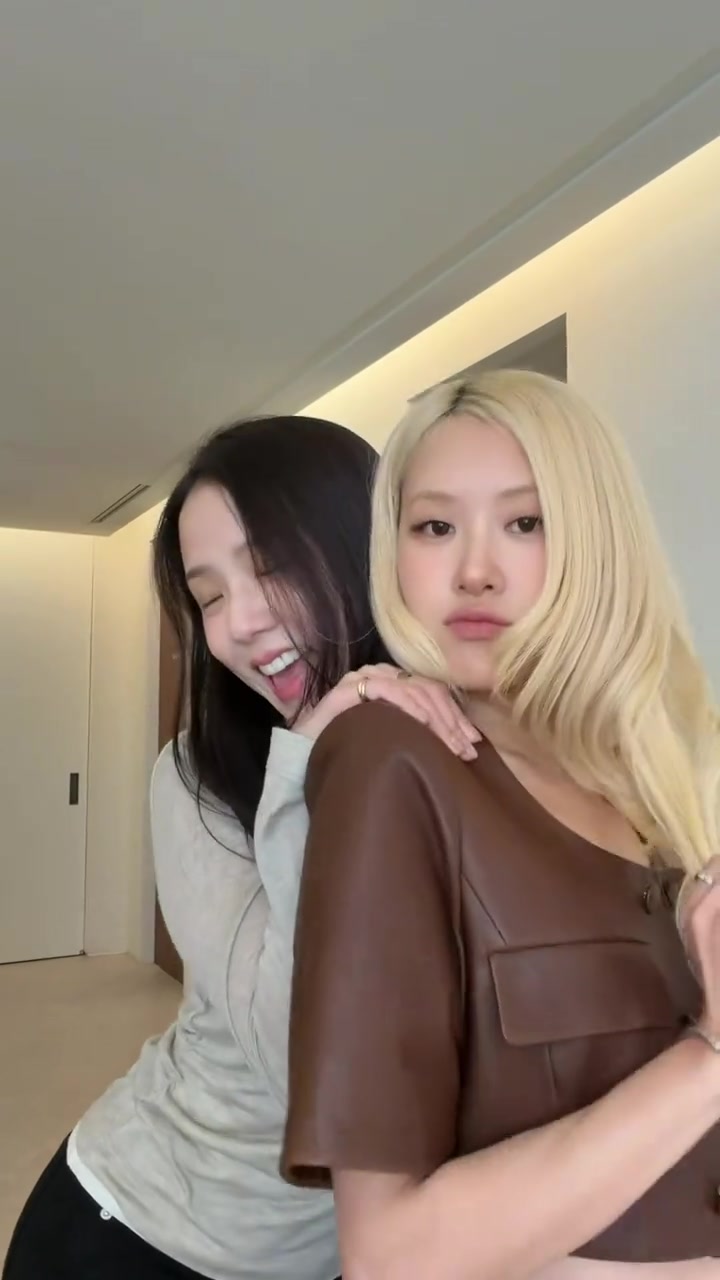
Scene 5
The shoulder pose
JISOO’s part leans in from behind and rests a hand on the other dancer’s shoulder. It is a close two-person pose, so separate, clear portraits help the preset distinguish the two faces.
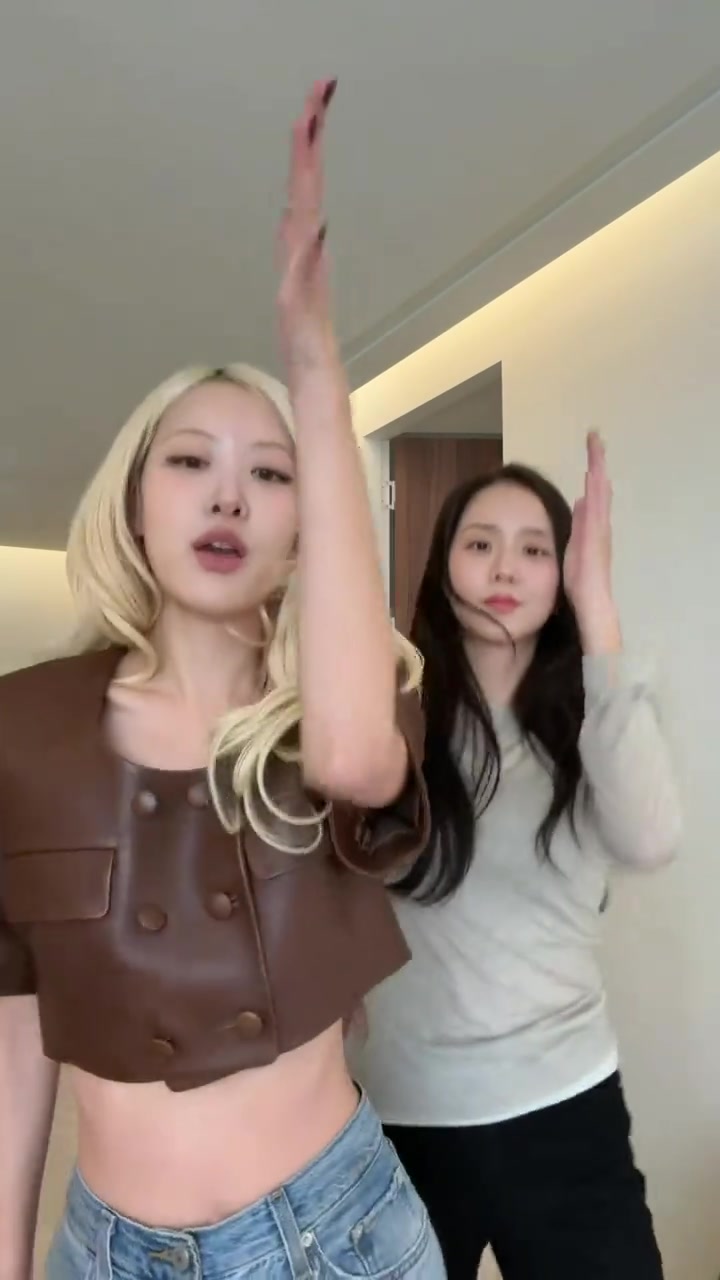
Scene 6
The side by side finish
ROSÉ’s part is now on the left and JISOO’s part is on the right for the final hand gestures. Photo 1 and photo 2 keep those assigned parts through the finish, with the original song timed to the clip.
These frames show the original JISOO and ROSÉ performance. Your remake follows this scene sequence with both original dancers replaced. The real generated example is shown in the comparison.
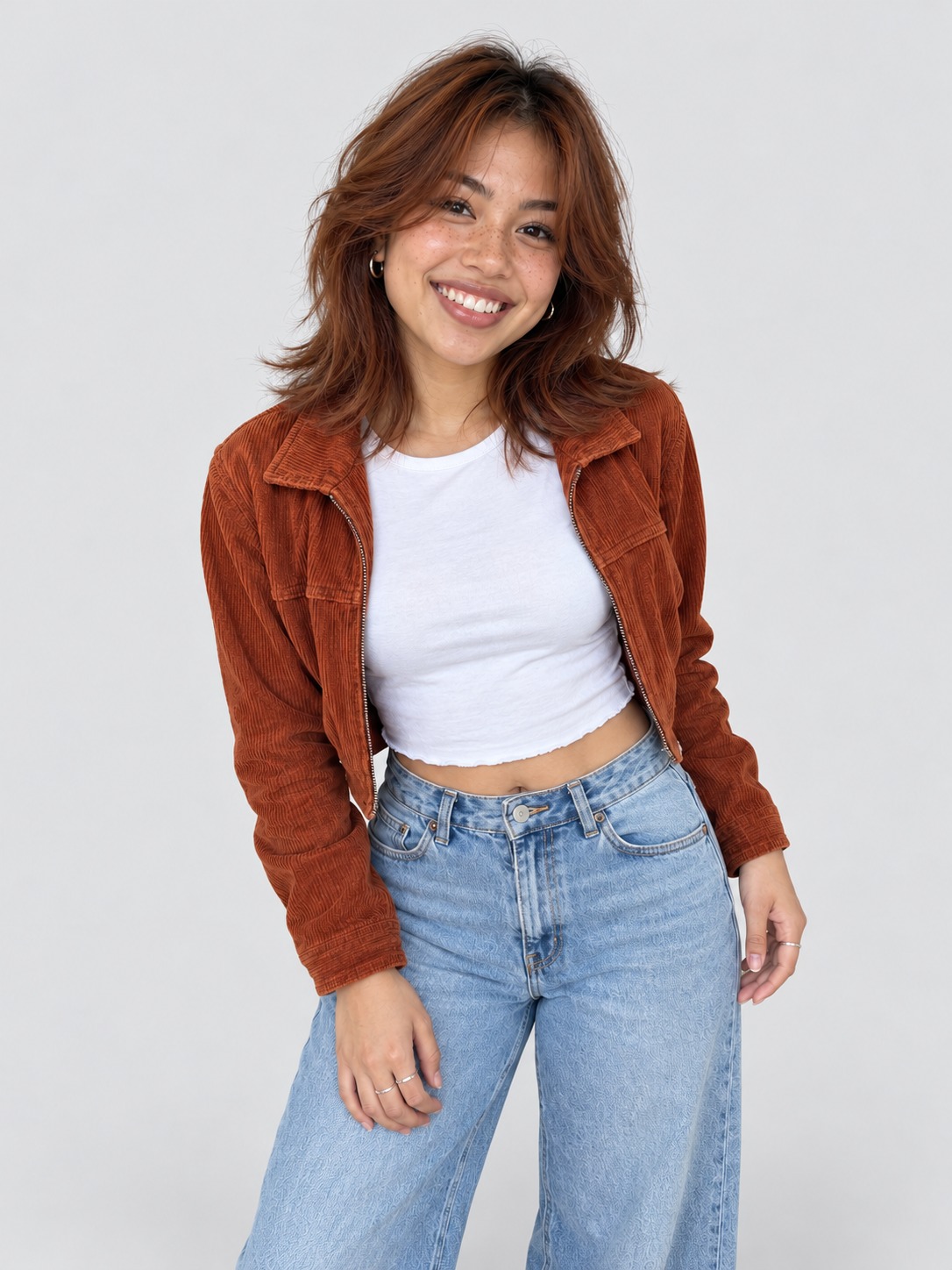
Use a clear photo with a simple background
Use your own photo or a consenting friend. Half or full body photos help carry your outfit into the dance. Keep the face clear, with one person in each photo.
How to get the best ADDICTED result
Better photos make better dancers. These four choices matter most.
A bright, clear face
Choose a sharp portrait with the face looking toward the camera and the eyes in view. Use one person per photo so the preset has a clear subject.
A simple background
Use a portrait against a plain background. The template already contains the hallway, so your photo only needs to show the dancer.
Half or full body
Use a half or full body portrait if your clothing matters to the remake. The preset uses the outfit it can see in your photo.
The right photo order
The dancers switch sides in the original choreography. Each photo follows its assigned dance part through the spin and the final shot.
Why the ADDICTED duet looks like the original
It starts from the original performance. The preset uses ROSÉ’s hallway video as the reference, so the choreography, the camera and the room come straight from the clip instead of being described in a prompt.
The clip is divided at the original camera cuts into five rendering segments, then joined in order. Each segment is one shot, so the cuts land where they do in the original. The finished duet is delivered as a 720p 9:16 MP4 with the original “ADDICTED” audio added in sync.
The preset was tuned on real output. Its instruction replaces both people, names each dancer’s position and leaves everything else to the clip, so the moves and the scene come from the original while the faces, hair and outfits come from your photos.
The published example is the approved output from November 2, 2026, made with Wan 3.0 for the performance and Topaz Proteus to sharpen the finished video. The comparison puts the unaltered original on the left and that real output on the right, so you can check it yourself before buying.
Download it, then share it as an AI remake
Allow about 5 to 10 minutes. You can close the page and collect the result in My videos. On iPhone, tap Download video, open it in Files and choose Save Video. On Android, open Downloads.
Use only photos you have permission to upload. Celebrity and public figure photos are not allowed. Label the finished video as AI when you post it and follow TikTok, Reels or Shorts rules. The template is independent and is not endorsed by JISOO, ROSÉ or BLACKPINK.
Before you post your ADDICTED duet
Watch the whole clip
Play it from the opening positions through the close-up, the spin and the finish. Photo 1 dances ROSÉ’s part, and photo 2 or our template actor dances JISOO’s part.
Listen and save the MP4
Turn the sound on to hear the original song. Download the 9:16 720p MP4. Watch the saved file on your phone before uploading it to TikTok, Reels or Shorts.
Describe it as your AI remake
Use a caption that identifies the ADDICTED duet and your cast. Label the video as AI when the posting platform requires it, follow its music and upload rules, and avoid implying that JISOO or ROSÉ endorsed the result.